Issue:
My Voice Assistant recording seems to be stuck in a processing state. It's been a very long time and it still hasn't finished.

When a recording shows as Processing, it means your audio was successfully sent to the system. In some cases, it may take a little longer for the transcript to appear. This usually happens because the app is waiting for background processing to run, or because additional processing is still finishing on the server.
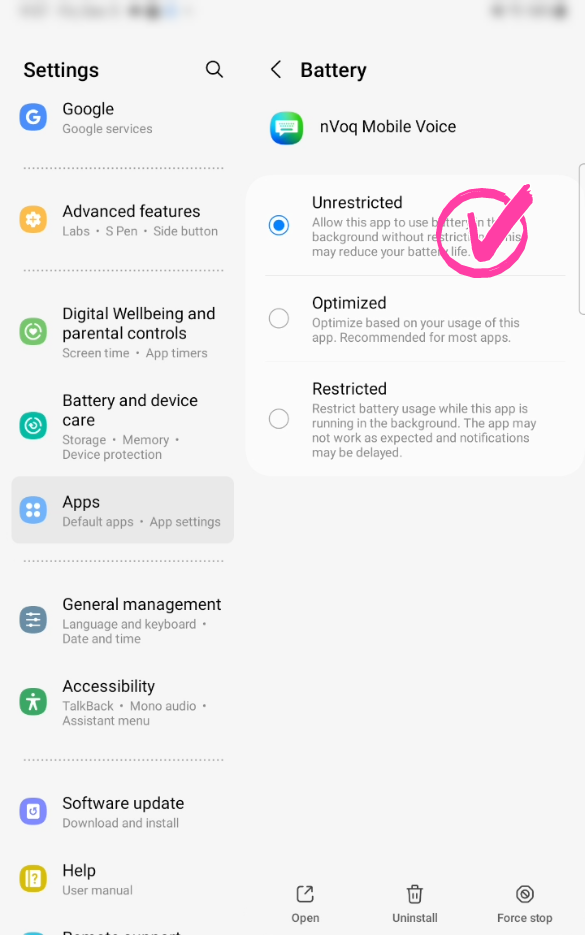
If processing seems delayed, it may help to set the app’s battery usage to Unrestricted, which allows it to complete background tasks without being paused by your device.
Here's how:
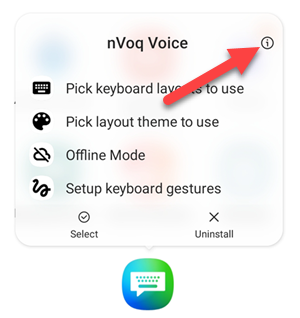
- Long press on the icon for the nVoq app.

- On the menu that appears, tap the App Info icon (i).
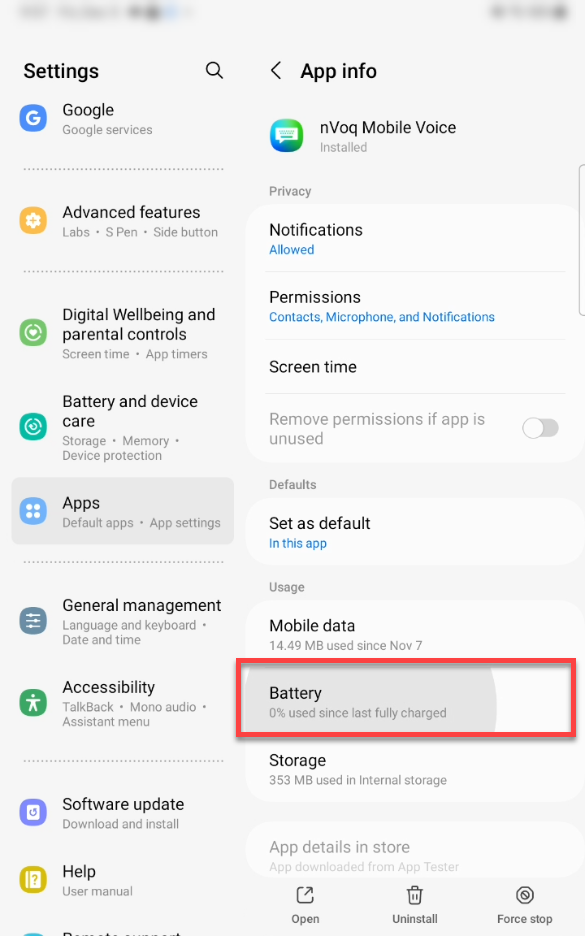
- On the App Info screen, tap Battery.
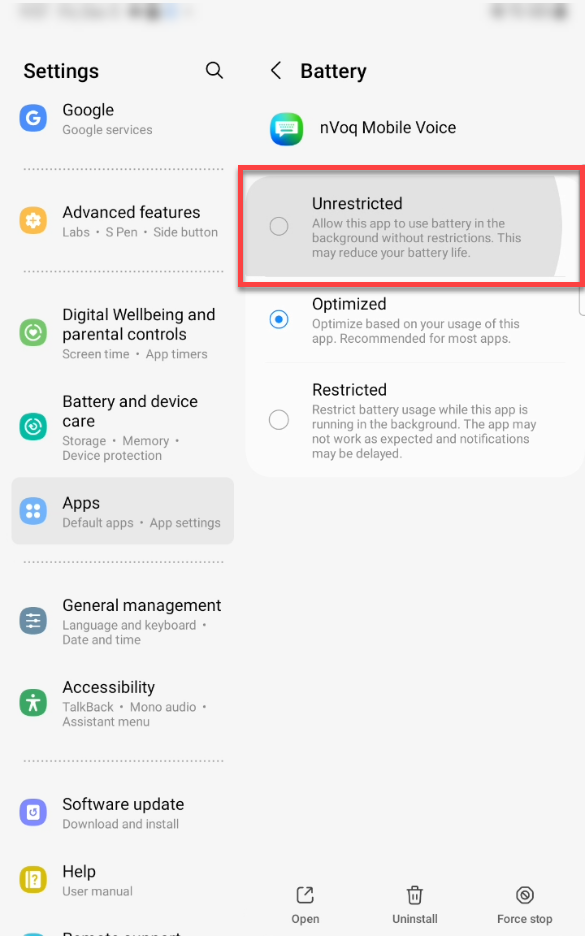
- Tap the radio button next to Unrestricted.
- Check to see if this resolves the issue.