We are refreshing the name our mobile dictation clients to better reflect the nVoq Voice experience across platforms. nVoq Mobile Voice will become nVoq Voice for iOS and nVoq Voice for Android, simpler names that align with our nVoq Voice for Windows product and reinforce a consistent brand identity.
To ensure consistent app naming across your systems you’ll need to update the App Integration Name in your Okta settings to match the new names. Making this quick change will ensure seamless sign-in and consistent integration across your systems.
The timeline for these changes is as follows:
- nVoq Voice for iOS - Renamed in version 20.3.0, scheduled for deployment in November 2025
- nVoq Voice for Android - Renamed in a future release, likely early 2026
- nVoq Voice for Windows - Not technically renamed in the application, but you can optionally add “for Windows” to the name in Okta for consistency.
Here's how to update the name in your Okta Organization:
- Log into your Okta Organization administration portal.
- Click the Applications > Application section (left hand navigation).
- Find the application you want to rename (e.g. nVoq Mobile Voice) in the list of applications.
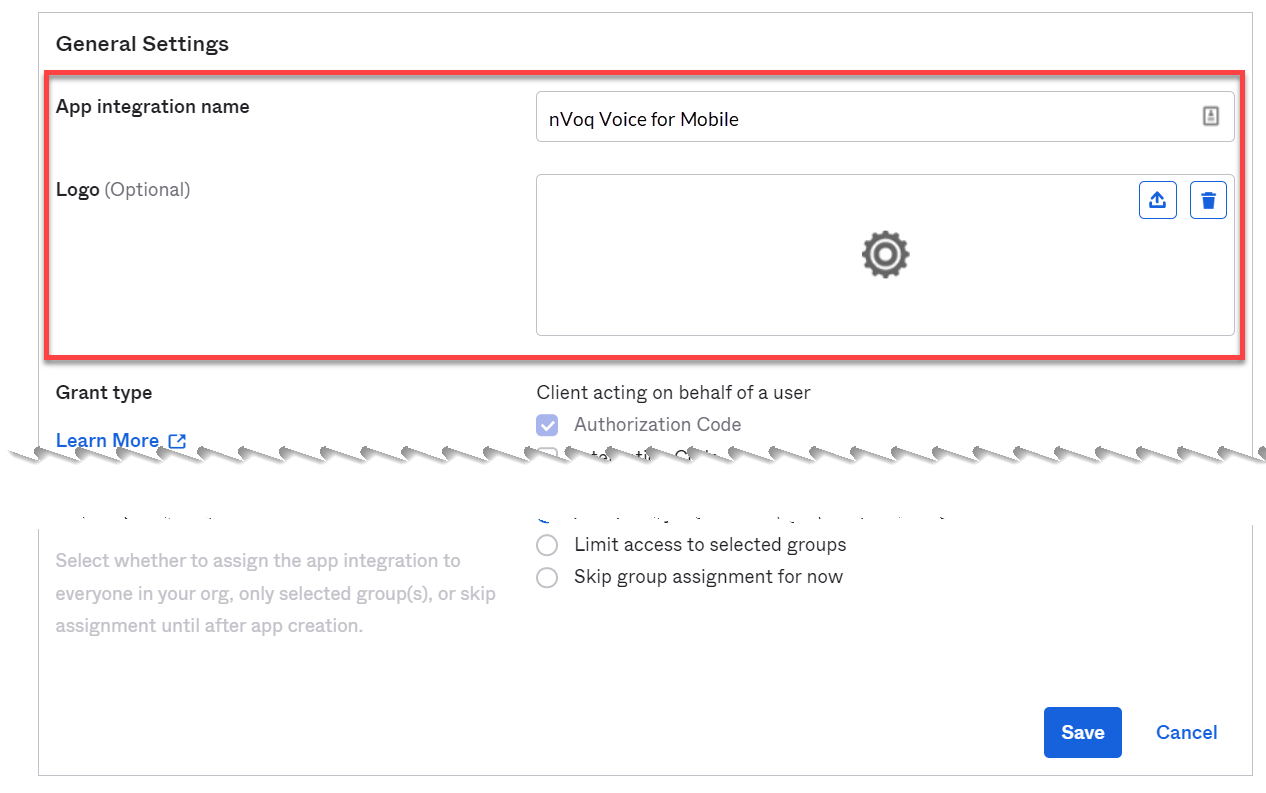
- In the Edit Native App Integration window change the App Integration Name to the new name: "nVoq Voice for Mobile" or "nVoq Voice or Windows".
Note: The configuration is the same for Android and iOS, so you only need one Okta app integration name to cover both. - If necessary, update the logo
- CLICK HERE to download the nVoq logo file to your local machine.
- In the Logo section, click the upload button.

- Click the Browse files... button and select the nVoq logo file.
- Click Apply.
- Click the Save button.