Issue:
The dictation button appears on the left side of the keyboard instead of the right side.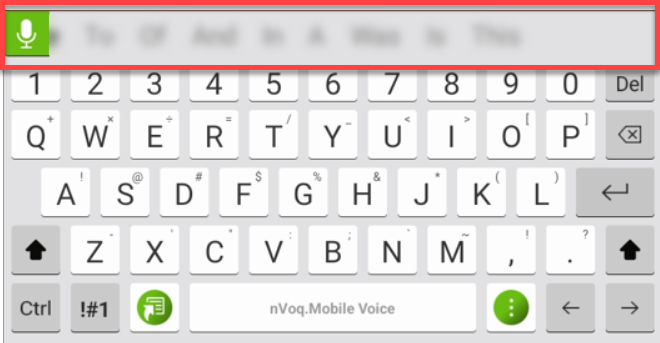
If Note Assist is enabled, the Note Assist button switched sides with the dictation button, appearing on the right side.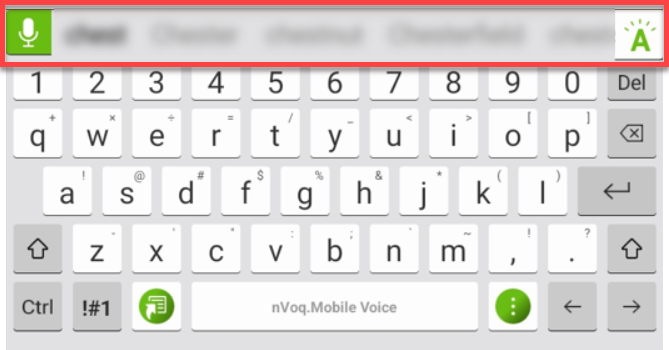
What to do:
Select a different keyboard and then go back to the nVoq Voice keyboard and the issue will be resolved.
- You may need to go into your device Settings to select a different keyboard.
- Go to Settings.
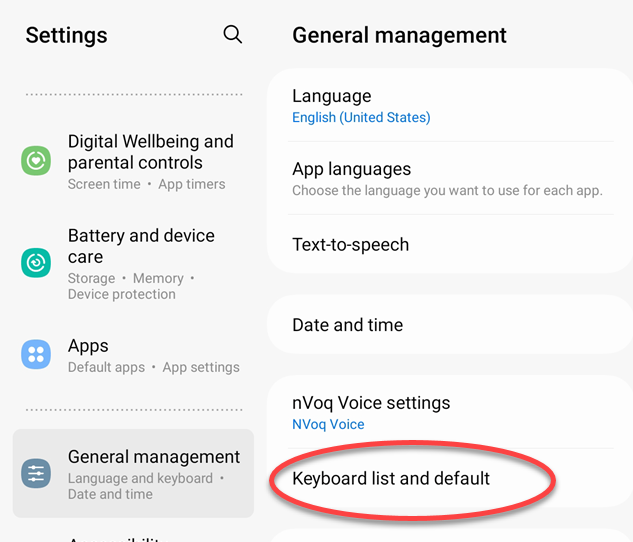
- On the left side of the Settings screen, tap on General Management.
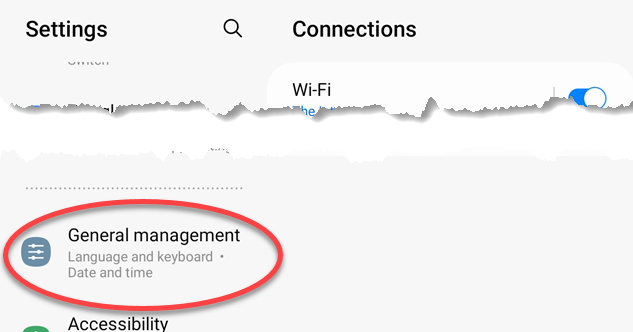
- On the right side of the Settings screen (under General Management) tap on Keyboard List & Default.
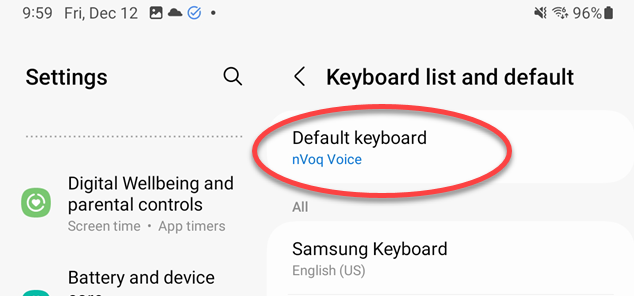
- Under Keyboard List & Default settings, tap Default Keyboard.
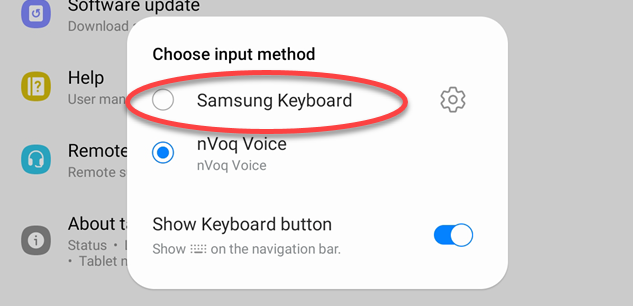
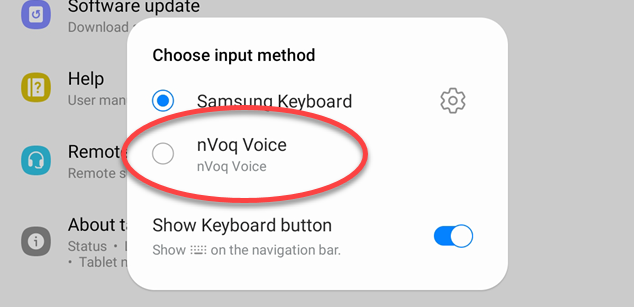
- In the Choose Input Method dialog that opens, select a different keyboard.
- Tap Default Keyboard again.
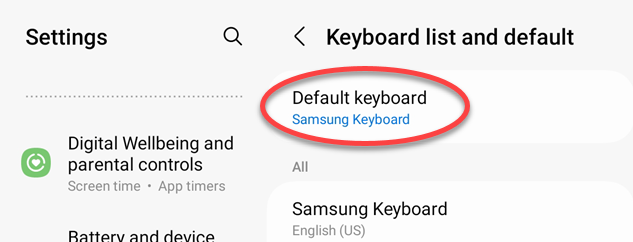
- This time, select nVoq Voice.
- Go back to your application and place the cursor to type. The issue should now be resolved.
- Go to Settings.