Tap the menu key on the keyboard to bring up the Voice menu, then tap Training Videos to open a screen where you can access the online training as well as tutorial videos.

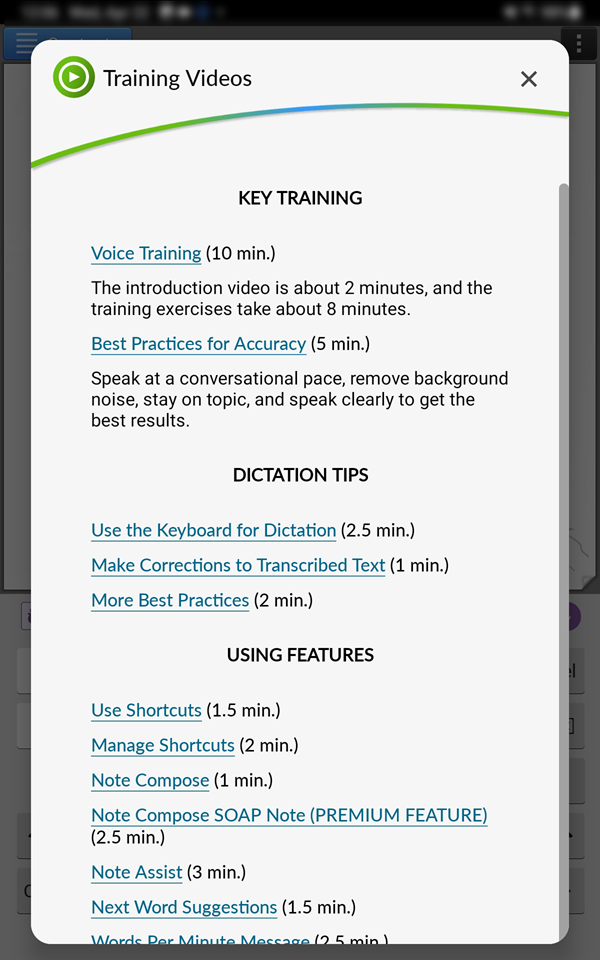
Key Training
Voice Training - This is a link to the online training, which begins with an instructional video and is followed by training exercises to help you practice using nVoq dictation.
Best Practices for Accuracy - This video offers tips for getting better accuracy when dictating with Voice.
Dictation Tips
Use the Keyboard for Dictation - This video gives step-by-step instructions for using dictation with Voice and for using special formatting commands to make your dictation look the way you want.
Make Corrections to Transcribed Text - This video offers information on how and when to make corrections to dictated text after it has been transcribed, as well as how to use the Alternate Words that may display for some dictated text.
More Best Practices - This video offers tips on some things that you can do to help you avoid frustration while learning to use Voice.
Using Features
Use Shortcuts - This video gives an overview of what shortcuts are, why you might want to use them, and step-by-step instructions on how to use them.
Manage Shortcuts - This video includes information about how to create, edit, or delete user shortcuts for those who have access to them.
Note Compose - This video shows how to use the Note Compose feature, which can add punctuation to your dictation transcript so you don't have to say it when you dictate. You can also use it on typed text.
Note Compose SOAP Note - This video shows how to use the Note Compose for structured notes. The video demonstrates the SOAP Note design, which condenses and formats written or typed text into a SOAP note. It will also add punctuation to your dictation transcript so you don't have to say it when you dictate. Note Compose for structured notes is only available to you if your agency has purchased it.
Note Assist - This video gives step-by-step instructions for how to use Note Assist in Voice. Note Assist is premium feature that is only available to you if your agency has purchased it.
Next Word Suggestions - This video gives instructions on how to use the word suggestions that are presented above the keyboard while typing, as well as how to add custom words to you Voice suggestion dictionary (Words Editor).
Words Per Minute Message - This video shows you how to turn on the Words Per Minute Message in Voice, and what you can do to help you dictate faster.
Change Keyboard Size - This video shows you how to switch from the default "small" layout of the keyboard to the "medium" layout on tablet devices. (The small layout is not available on phone devices.)